

Picking the right Raspberry Pi model in 2025 can change whether your project just works or constantly fights thermal throttling. You’ll want to weigh raw CPU/GPU power, RAM, and NVMe or SD storage options against power draw and heat management, since those affect reliability under sustained load. Consider connectivity and expansion needs next so you don’t outgrow the board, and keep budget versus future-proofing in mind before you commit.
Key Takeaways
- Match CPU, GPU, and RAM to your workload (multitasking, media, AI) and prefer newer Cortex-A76 for better performance.
- Choose storage by workload: NVMe via Pi 5 PCIe for speed, A2/U3 SD cards for OS responsiveness, or USB drives for capacity.
- Design power and cooling for continuous operation: Pi 5 needs ~5V/5A and active cooling; smaller models suit low-power projects.
- Pick connectivity and expansion based on peripherals: Pi 5 offers USB3, advanced Ethernet, and PCIe for NVMe or accelerators.
- Balance budget and future-proofing: Pi 4B for cost-effective media, Pi 5 for expandability and servers, Zero/Pico for ultra-low-power IoT.
Understanding Performance Needs: CPU, GPU, and RAM Considerations
When you pick a Raspberry Pi, match CPU, GPU, and RAM to the workload: you assess CPU Architecture and Core Count against Clock Speed to gauge Task Suitability and Multitasking Efficiency. For many modern projects, consider newer chips like the Cortex-A76 for better sustained throughput and thermal management.
Check GPU Optimization for media, 3D, or AI workloads and validate Application Compatibility via Performance Benchmarking.
Plan RAM Usage for caching, virtualization, or desktop responsiveness; higher capacities reduce swap and improve Resource Allocation.
Use pragmatic tests: synthetic benchmarks plus real workloads to confirm throughput and latency.
For innovation-focused projects, prioritize newer Pi models with modern cores, stronger GPUs, and larger RAM to minimize bottlenecks and future-proof deployments. The Raspberry Pi 5 notably offers a 2.4GHz quad-core Cortex-A76 CPU that delivers significantly higher performance. Recent benchmark suites show the Pi 5 achieving substantial gains over earlier models.
Power and Thermal Requirements for Continuous Use
Because continuous operation stresses both supply and cooling, you should size power and thermal systems to the Pi model and expected workload.
Continuous operation stresses power and cooling; size supply and thermal systems to the Pi model and workload.
You’ll account for thermal dynamics: Pi 5 runs hotter and benefits from heatsink+fan and its dedicated fan header, Pi 400 uses better passive cooling.
Remember to consider GPIO pins current limits when adding powered peripherals.
Plan power distribution for sustained 5V/1.8A+ peaks; use certified supplies that avoid brownouts.
Implement continuous monitoring of voltage and temperature, triggering governors or throttling policies before ~80°C.
Evaluate peripherals and RAM impact on baseline draw.
Combine efficiency strategies—CPU governor tuning, power-aware peripherals, and targeted active cooling—to facilitate reliable 24/7 operation.
The Raspberry Pi 5, released in November 2023, significantly outperforms the Pi 4 in CPU benchmarks, so account for its higher power draw when designing power and cooling systems.
Connectivity and Expansion: USB, PCIe, and Networking Options
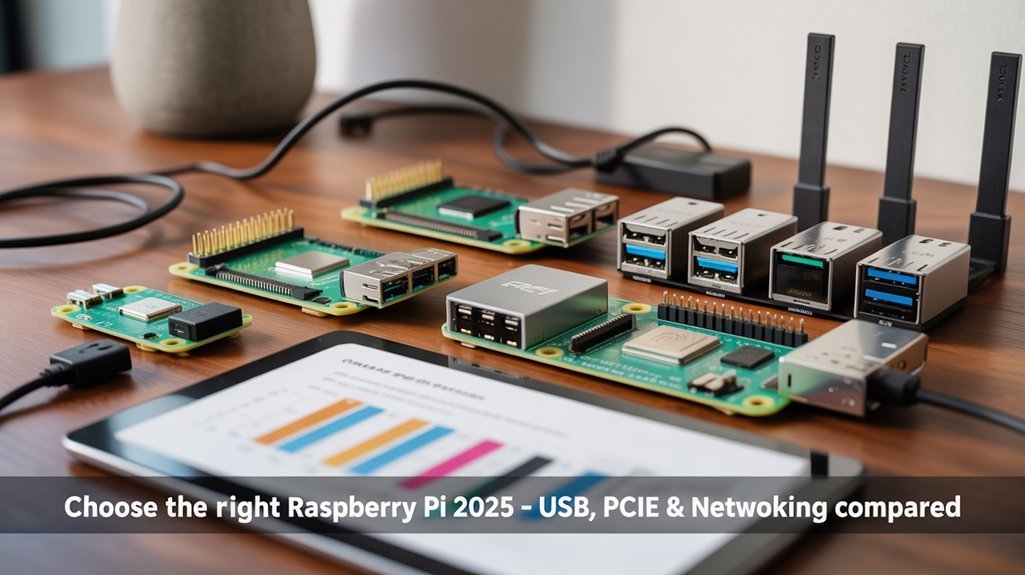
You’ll want to match USB and network ports to your peripheral and bandwidth needs, since Pi 5 offers USB 3.0 and 2.5 Gbps Ethernet where older models are limited to USB 2.0 and slower LAN. Also, the Pi 5’s PCIe Gen2 x1 interface enables NVMe storage with the right adapter and power.
If you need direct high-speed I/O or NVMe storage, plan for Pi 5’s PCIe Gen2 x1 plus appropriate power and adapter hardware.
For simpler expansion, use USB hubs or the standard 40-pin GPIO and CSI/DSI connectors to add sensors, cameras, or HATs. Raspberry Pi 5 also provides improved processing that benefits demanding peripherals and multitasking. Additionally, consider the Raspberry Pi 500 as an all-in-one computer option when you want built-in keyboard and display-ready connectivity.
USB and Network Ports
USB and network ports determine how you connect storage, displays, and peripherals, so pick a Pi that matches your bandwidth and expansion needs. Modern boards also enable direct high-speed storage like NVMe support when paired with the right interface.
You’ll weigh usb port types (USB 3.0/2.0, USB-C power delivery), network capabilities (Gigabit Ethernet, PoE/PoE+), and wireless performance (dual-band 802.11ac, Bluetooth 5+).
Compact models sacrifice ports and multimedia output for size. Choose based on device compatibility and expansion potential aligned with connectivity trends and ethernet standards. The Raspberry Pi 5 introduced significant USB and network upgrades.
- Pi 5/4: two USB 3.0, two USB 2.0, dual micro-HDMI, Gigabit Ethernet, PoE options. Note that the Pi 5 also brings a PCIe 2.0 interface for higher-throughput expansion.
- Pi Zero: single micro-USB, no Ethernet.
- Pi 3: USB 2.0, 10/100 Ethernet.
- Compute Modules: board-level flexibility.
PCIe and Expansion Options
When you need more than the Pi’s onboard ports can handle, PCIe-based expansion gives you direct, low-latency access to high-bandwidth devices like NVMe SSDs, 2.5GbE network adapters, and AI accelerators. Also consider Power Management HAT integration when combining PCIe with other expansions to handle power and device identification.
You’ll get meaningful PCIe performance from Pi 5’s Gen2 x1 (≈500 MB/s); adapters convert the FFC to a PCIe x1 slot, enabling Expansion versatility for x1–x16 cards (electrically x1).
Prioritize Adapter compatibility, board signal integrity, and documented Power requirements—many adapters include 12V inputs and regulation.
For storage, NVMe speed improves responsiveness but demands Thermal management and proper mounting to avoid throttling under sustained load.
The Pi 5’s PCIe port uses a Gen 2 x1 link that delivers higher throughput than typical microSD and many USB connections.
Many third-party adapters, like the Waveshare and 52Pi boards, provide 12V power inputs and PCIe x1 slots to connect off-the-shelf cards.
Storage Choices: SD Cards, USB Drives, and NVMe on Pi 5
You’ll weigh microSD card reliability versus peak speed—Pi 5’s SDR104 reader makes high-end cards surprisingly competitive, but long-term durability still lags SSDs.
USB drives give you straightforward capacity and compatibility with minimal setup, though SSDs draw more power and HDDs trade speed for cost. Also ensure your power setup can provide a stable 5V supply to handle SSD spin-ups and peak loads.
If you need top I/O, NVMe over Pi 5’s PCIe delivers the fastest throughput but uses power, PCIe bandwidth, and some expandability. Good quality SD cards are a solid choice for most users.
SD Card Reliability Vs Speed
Although microSD cards on the Raspberry Pi 5 now reach SDR104 speeds and can hit around 100MB/s for reads, you’ll need to balance raw throughput against long-term reliability and random I/O behavior when choosing storage.
You’ll weigh SD card longevity, speed tradeoffs, performance benchmarks, reliability ratings, usage scenarios, compatibility tests, endurance factors, and application impact.
- Choose A2/U3/V30 cards for better random I/O and OS responsiveness.
- Verify performance benchmarks (sequential vs random) for your workload.
- Prefer higher endurance, brand-tested cards to reduce corruption risk.
- Consider capacity and power-stable setups; NVMe exists if you need more.
Raspberry Pi OS is optimized specifically for Broadcom SoCs and VideoCore GPUs to ensure maximum performance on Pi hardware.
USB Drive Pros/Cons
Having weighed SD card tradeoffs between speed and longevity, let’s look at USB drives as an alternative for the Pi 5. The Pi 5 also benefits from Raspberry Pi OS optimizations that improve hardware compatibility and performance.
You’ll get clear usb drive compatibility and plug and play convenience with USB 3.0, improving data transfer speeds versus SD. Expect greater storage capacity and better durability considerations with quality SSDs, though flash sticks vary.
Mind performance trade offs: shared USB bandwidth and higher latency than PCIe NVMe. The expansion board also supports M.2 NVMe SSDs for higher-performance storage.
Check power requirements—some 2.5″ HDDs need external power. Balance cost effectiveness against endurance and form factor.
For pragmatic innovators, USB drives offer versatile, upgradeable storage with predictable limits. Bootloader updates are handled differently across Pi models and may affect boot behavior when using USB devices.
NVMe via Pi 5 PCIe
When you need maximum throughput and low latency on a Raspberry Pi 5, NVMe over the board’s native PCIe Gen3 x1 is the practical choice: it delivers sustained multi-hundred MB/s performance and far better write endurance than SD cards or typical USB flash drives. Benchmarking shows that PCIe Gen 2 NVMe drives deliver the multi-hundred MB/s throughput that outpaces microSD by 4-5x.
However, it also demands compatible NVMe controllers, proper HAT/adapter selection, and effective thermal management to avoid instability or throttling.
You’ll prioritize NVMe performance, verify NVMe compatibility, and plan NVMe installation and NVMe cooling.
Choose community-tested SSDs and Gen3-capable controllers, use an official or proven HAT, update firmware/bootloader, and monitor temps and SMART data. Also consider using a PCIe To M.2 Adapter known to support NVMe for the Pi 5.
- Verify controller compatibility
- Pick HAT with cooling
- Update firmware/partition drive
- Monitor performance and temps
For reliable operation in production or industrial settings, also ensure stable power delivery using a 5V 5A supply and consider powered hubs or voltage regulation to prevent drive resets and data corruption.
Budget vs. Future-Proofing: Picking the Right Price Point
Because your project needs and budget determine how long a Pi will stay useful, weigh immediate cost against features that extend lifespan — such as PCIe/NVMe support, higher RAM, and improved power delivery — rather than just the sticker price. Also consider features like PCIe/NVMe that extend expandability and performance.
You’ll balance budget constraints with future expectations: pick Pi 4B if you need low cost and solid performance, or a 2–4GB Pi 5 for expandability. Invest in higher RAM or NVMe only when workloads demand it (ZFS, caching, server tasks).
Account for total ownership: power supplies, cooling, and storage. Avoid overspending when marginal gains don’t match use. Note that the Raspberry Pi 5 offers the most modern I/O and performance options for longevity. Adding a 16 GB model can be worthwhile for heavy caching and multitasking scenarios.
Form Factor and Power Consumption for Mobile or Embedded Projects
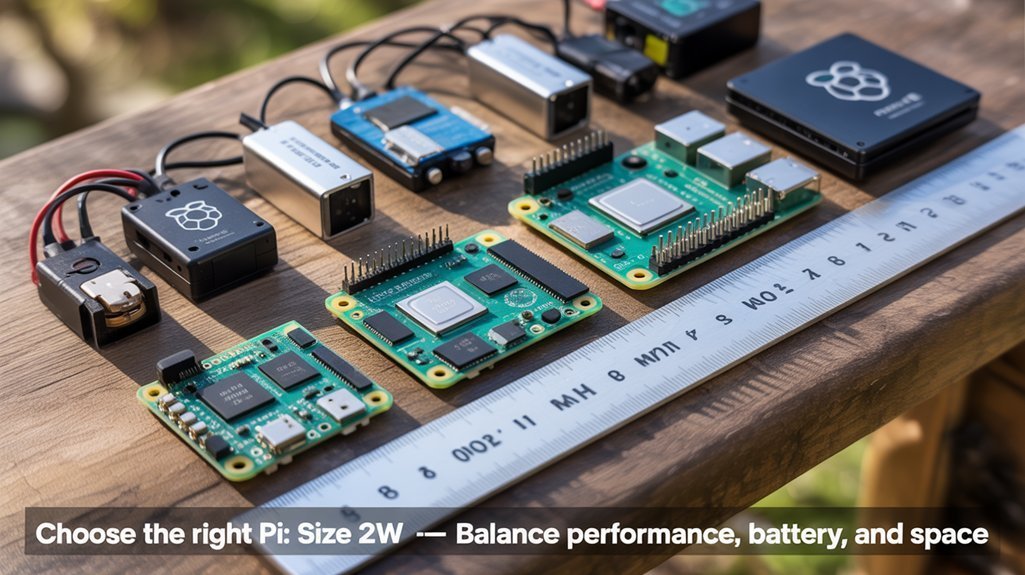
If your project needs to run on batteries or fit inside a tight enclosure, pick a Pi whose physical size and power profile match those constraints:
Zero and Zero 2 W give you the smallest footprint and lowest draw for long-term battery life and minimal heat.
Zero and Zero 2 W deliver the tiniest footprint, minimal power draw, and low heat for long battery life.
Standard credit-card boards (Pi 3B+, 4B) offer more ports and Ethernet at the cost of higher current and cooling needs.
The Pi 5 delivers PCIe/NVMe-capable performance but requires a 5V/5A supply and active thermal management that usually rules out simple mobile deployments.
- Compare form factor comparison: Zero series for ultra-compact embeds.
- Match power requirements to battery capacity and runtime targets.
- Factor connectivity tradeoffs: fewer ports save size and energy.
- Design cooling and supply routing early for high-performance builds.
Recommended Models by Use Case (Home Server, Media, IoT, Education)
Pick the Pi that matches the workload: for high-throughput home servers and NVMe storage use the Pi 5 (or a Compute Module variant for embedded racks), for cost-conscious 4K media centers consider a Pi 4B, for ultra-low-power or tiny IoT nodes use a Zero or Pico, and for classroom and beginner projects choose a Pi 400 or Pi 3B+ for simplicity and GPIO access.
You’ll choose based on applications scenarios and resource considerations:
Pi 5 for PCIe NVMe, PoE+, and sustained loads;
Pi 4B for affordable 4K playback;
Zero/Pico for minimal power footprints;
Pi 400/3B+ for beginner projects and rapid prototyping with clear upgrade paths for advanced techniques.
Frequently Asked Questions
Which Accessories (Cases, Cameras, HATS) Are Compatible Across Multiple Pi Generations?
You’ll find camera compatibility is strong across Pi 4/5 via CSI, case selection leans modular or cluster designs, hat usage stays broad with 40-pin HATs, and accessory trends favor shared cooling, modular cases, and standardized connectors.
How Do Software Update Lifecycles Differ Between Raspberry Pi OS and Third‑Party Distros?
Want predictable security and Pi-tailored firmware? You’ll get steadier update frequency, Pi-specific compatibility considerations and Foundation-driven firmware with Raspberry Pi OS; third-party distros vary in cadence, tooling, and hardware compatibility, requiring more manual tracking.
Can I Run Containerized GPU Workloads (Docker, Kubernetes) on Pi 5?
Yes — you can run containerized GPU workloads on Pi 5, but you’ll need custom kernel patches, drivers and careful GPU compatibility checks; use Docker/k3s for container orchestration and plan hybrid offloading for heavy acceleration.
What Backup and Restore Strategies Work Best for Migrating Between Raspberry Pi Models?
Use image-based cloning for exact restores, rsync for data synchronization, choose robust filesystems (ext4, f2fs) for SD/SSD, back up configs separately, verify checksums, and automate incremental backups for smooth cross-model migration.
Are There Supply or Regional Availability Issues to Consider When Buying?
Like clockwork, you should expect regional pricing and supply chain variance: prioritize Pi 4/5 where stock’s stable, avoid legacy models, compare distributors, factor lead times, and use regional resellers or waitlists to secure units efficiently.
Conclusion
You’ve walked through CPU, GPU, RAM, thermal, connectivity, storage and cost trade-offs — now pick the Pi that matches workload and growth. Remember: 64% of hobbyist projects upgrade hardware within two years, so favor modularity and NVMe-capable boards if you expect expansion. Choose Pi 5 for heavy tasks (AI, media, virtualization), Pi 4B for budget generalism, and smaller boards for embedded or low-power needs. Prioritize cooling and power stability for continuous use.