

You’ll need reliability, you’ll want speed, and you’ll require sufficient capacity when choosing SD cards for Raspberry Pi 5. The latest iteration of this popular single-board computer demands storage that can keep pace with its impressive specifications. While any compatible microSD card will function, selecting the ideal combination of speed class, capacity, and manufacturing quality determines whether your Pi projects soar or stutter. The differences between card types might surprise you.
Key Takeaways
- Choose UHS-I compatible cards with U3/V30 ratings that provide at least 30 MB/s sustained write speeds.
- SanDisk Extreme Pro A2 offers top write performance, while Samsung Pro Ultimate excels in random read operations.
- Aim for 64-256GB capacity for optimal reliability and performance balance without paying premium prices.
- Look for cards with wear leveling technology to extend lifespan during frequent write cycles.
- A2-rated cards deliver superior random read/write operations, essential for operating system performance.
SD Card Compatibility Requirements for Raspberry Pi 5
When choosing an SD card for your Raspberry Pi 5, you’ll need to understand several key compatibility requirements to guarantee peak performance.
The Pi 5 exclusively works with microSD card types in SDHC and SDXC formats, supporting capacities ranging from 32GB to 2TB. Your card must support UHS-I (Ultra High Speed phase I) for ideal data transfer at up to 104 MB/s in SDR104 mode.
SD performance hinges on choosing SDHC or SDXC with UHS-I capability to unlock the Pi 5’s full 104 MB/s transfer potential.
Avoid standard SD cards as they’re physically incompatible with current Pi models.
Be vigilant about counterfeit card risks by purchasing only from reputable brands like SanDisk, Samsung, or Kingston. Counterfeits often lead to system instability, data corruption, and premature failure.
The physical form factor must be standard microSD size, while speed ratings should be at least Class 10 or UHS-I to prevent bottlenecks in your innovative Pi projects. The Raspberry Pi Foundation specifically recommends 64GB to 128GB sizes for media centers, AI projects, and IoT applications.
For optimal reliability and performance, A2 rated cards have shown excellent compatibility with the Raspberry Pi 5 system.
Optimal Storage Capacity Selection Based on Project Needs
Selecting the right storage capacity for your Raspberry Pi 5 is essential since it directly impacts both project functionality and overall system performance.
When determining your SD card size, consider both basic project needs and future proofing potential.
- 16-32GB: Sufficient for operating system and simple applications, but offers limited growth potential.
- 64-128GB: Ideal for media centers, AI applications, and IoT projects requiring regular data logging.
- 128-256GB: Recommended for gaming, extensive development environments, or heavy data collection scenarios.
- 512GB-1TB: Best for future proofing complex projects with growing storage requirements, though requires validation for compatibility. The theoretical maximum SD card size for the Raspberry Pi 5 is 2TB capacity, supported through the SDXC standard.
While larger capacities reduce write cycle strain on specific memory cells, they often command premium prices.
Match your capacity to both immediate requirements and anticipated project evolution to avoid costly upgrades.
Faster SD cards with higher read/write speeds like the Kingston Canas Go Plus can significantly improve overall performance, especially when running demanding applications on the Pi 5.
Understanding Speed Class Ratings and Performance Impact of SD Cards for Raspberry Pi 5
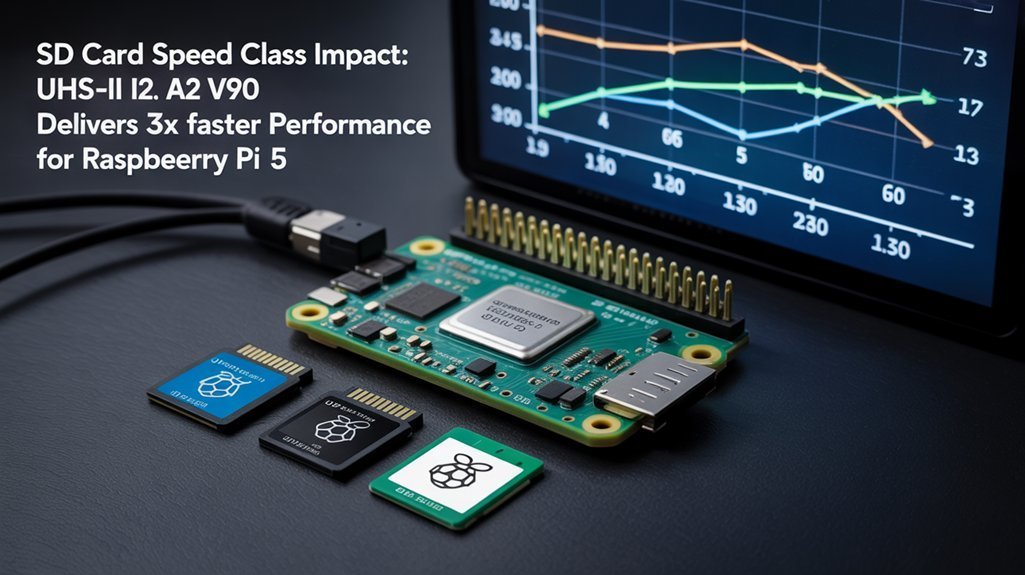
As your Raspberry Pi 5 project evolves beyond basic capacity considerations, understanding SD card speed class ratings becomes critical for perfect performance.
The standard C2-C10 ratings indicate minimum sustained write speeds from 2-10 MB/s, while UHS classes (U1, U3) offer 10-30 MB/s. For demanding applications, video speed classes (V6-V90) guarantee 6-90 MB/s, essential for 4K recording and intensive workloads. Higher speed classes prevent common performance bottlenecks when running resource-intensive applications on your Raspberry Pi 5.
Performance benchmarks reveal that SD Express cards (E150-E600) deliver revolutionary speeds up to 600 MB/s, though compatibility with Pi 5 hardware is prerequisite. Application Performance Classes like A1 and A2 measure IOPS required for enhanced application performance.
SD Express technology unlocks blistering 600 MB/s speeds, provided your Pi 5 hardware supports this next-generation standard.
When evaluating speed class comparisons, remember that actual performance depends on multiple factors beyond ratings—controller design and workload type greatly impact real-world results.
For ideal Pi 5 performance, aim for at least U3/V30 cards, which balance cost against the sustained speeds required for seamless operation.
Top-Performing Brand Recommendations and Reliability Factors
The right SD card choice for your Raspberry Pi 5 can dramatically influence system performance, with several brands consistently outperforming others in real-world testing.
Brand comparisons reveal that SanDisk Extreme Pro A2 leads in write speed, while Samsung Pro Ultimate excels in random read operations essential for OS loading.
Among performance metrics that matter most:
- IOPS (Input/Output Operations Per Second) – directly impacts system responsiveness and multitasking. Essential hardware is crucial for maximizing the performance of your Raspberry Pi 5 setup.
- Random read/write speeds – determines application launch times and file access.
- Caching capability – Lexar 633x demonstrates superior performance under heavy I/O loads.
- Firmware optimization – Official Pi SD cards show 3x faster speeds in vital tasks.
Amazon Basics (64GB) has proven to be a top performer in comprehensive testing, offering excellent value with strong overall performance.
Surprisingly, lesser-known alternatives like Silicon Power 3D NAND deliver exceptional 4K random writes at competitive prices, making them viable options for innovation-focused projects requiring reliability without premium pricing.
The Raspberry Pi 5’s support for SDR104 compliant microSD cards provides enhanced performance metrics compared to previous models, which may influence your card selection.
Physical Specifications and Environmental Considerations for SD Longevity
Physical specifications of SD cards play a critical role in determining their compatibility and longevity with the Raspberry Pi 5. Select microSDHC (up to 32GB) or microSDXC (64GB-512GB) cards with standard 15×11×1mm dimensions that operate within 2.7-3.6V range for peak performance. Additionally, consider that the Raspberry Pi ecosystem supports various operating systems, which can influence your choice of storage.
Flash memory durability depends heavily on environmental conditions. Your card should handle operational temperatures between 0°C and 60°C, while proper ventilation helps maintain these limits in enclosed deployments.
Environmental conditions directly impact SD card longevity—ensure proper ventilation and operation within 0°C-60°C temperature range.
Temperature impact is substantial—sustained heat accelerates wear on NAND memory cells. Consider environmental factors like moisture and dust exposure, which can compromise card contacts. For optimal performance, choose cards supporting DDR50 and SDR104 bus speeds. For the best random read/write operations, select A2-rated cards providing 5,000 IOPS read performance on Raspberry Pi 5.
High-quality cards with wear leveling technology better withstand frequent write cycles. Though Raspberry Pi 5 theoretically supports up to 2TB cards, practical reliability peaks at 256-512GB capacities with proper formatting.
Frequently Asked Questions
Can I Use NVME SSDS Instead of SD Cards for Raspberry Pi 5?
Yes, you can use NVMe SSDs with your Raspberry Pi 5 via a PCIe adapter. You’ll enjoy significant NVMe advantages including 10x faster speeds and better durability. SSD compatibility is officially supported through the Pi 5’s PCIe slot.
How Do I Transfer My Current Raspberry Pi OS to a New Card?
Over 5,000 read IOPS make data migration essential. You’ll need dedicated backup solutions like Raspberry Pi Imager or balenaEtcher to clone your current OS precisely to your new card without corruption risk.
Will SD Card Performance Degrade Over Time With Heavy Usage on a Raspberry Pi 5?
Yes, your SD card’s performance will deteriorate over time with heavy usage. Flash memory cells wear out from repeated P/E cycles, reducing speeds and increasing error rates despite wear-leveling algorithms.
Which File System Offers Best Performance on Raspberry Pi 5?
Ext4 offers you ideal performance with lower overhead and balanced read/write speeds, while Btrfs provides advanced features like snapshots. For most Pi 5 uses, ext4 remains superior, though F2FS excels specifically with flash storage.
Can I Boot Directly From USB Storage Instead of an SD Card for Raspberry Pi 5?
Yes, Raspberry Pi 5 natively supports direct USB boot. You’ll experience superior USB speed with external SSDs or flash drives. Multiple boot options are available through updated bootloader firmware, eliminating SD card dependency entirely.
Conclusion
Like a skilled gardener choosing the finest seeds, you’ll want UHS-I U3/V30 microSD cards with A2 ratings for your Pi 5. SanDisk Extreme Pro, Samsung Pro Ultimate, or Lexar 633x in 256-512GB capacities will provide the ideal harvest of performance. Remember, even the strongest tree requires maintenance—regular reformatting guarantees your SD card’s sustained 30+ MB/s write speeds continue to nurture your computational ecosystem.