

Over 75% of IoT devices fall victim to cyberattacks within their first year of deployment, making your Raspberry Pi a prime target for malicious actors. You can’t rely on default configurations to protect your projects—they’re fundamentally open doors for attackers. While most users focus on getting their Pi functional, they overlook critical security hardening that transforms a vulnerable device into a fortress. The difference between a secure and compromised system often comes down to a few vital command-line configurations that’ll determine your Pi’s fate. So let’s explore securing your raspberry pi!
Key Takeaways
- Change default “pi” username, set complex passwords, and implement SSH key-based authentication while disabling password logins.
- Install and configure UFW firewall with default deny rules, rate limiting, and specific allow rules for essential services only.
- Deploy fail2ban to automatically block IP addresses after repeated failed authentication attempts and suspicious network behavior.
- Enable unattended upgrades for automatic security patches and monitor update logs in `/var/log/unattended-upgrades/` for deployment verification.
- Implement comprehensive logging with LogWatch and centralized monitoring tools to detect intrusion indicators and security anomalies.
Hardening User Authentication and Access Controls
When you first boot your Raspberry Pi, the device’s default configuration creates significant security vulnerabilities that attackers actively exploit. Your primary defense begins with eliminating default credentials and implementing robust user account security. Replace the standard “pi” username with a unique identifier and establish a complex password containing uppercase letters, numbers, and special characters spanning 10-12 characters minimum. Additionally, consider using SSH public key authentication to further enhance security.
Effective privilege management requires creating dedicated user accounts following least-privilege principles. Remove unnecessary default accounts and restrict sudo access to essential operations only. Additionally, you should disable automatic login to prevent unauthorized users from gaining immediate access to your system if the device is physically compromised.
Your authentication mechanisms should extend beyond passwords—disable SSH password authentication entirely, implementing public key cryptography instead. Configure extensive access controls by changing SSH’s default port 22 and disabling root login capabilities to minimize attack vectors targeting your system. The default SSH service can remain active on your device and provide an entry point for unauthorized users if not properly configured.
Implementing Automated Security Updates and Patch Management
After establishing secure user authentication, you must implement automated security updates to maintain your Raspberry Pi’s defense against emerging threats. Install unattended upgrades with `sudo apt-get install unattended-upgrades -y`, then enable automatic installation using `sudo dpkg-reconfigure –priority=low unattended-upgrades`. Configure update notifications through Postfix to monitor patch deployment activities. Additionally, ensure that your Raspberry Pi is configured for remote management options, as this can facilitate better control over update processes.
| Configuration Aspect | Command/Setting |
|---|---|
| Enable automation | `dpkg-reconfigure unattended-upgrades` |
| Security-only mode | Edit `/etc/apt/apt.conf.d/50unattended-upgrades` |
| Monitor logs | `/var/log/unattended-upgrades/` |
You’ll strengthen your IoT device’s security posture while reducing manual maintenance overhead. This automated approach enhances security by ensuring your Raspberry Pi continuously receives critical patches without requiring constant manual intervention. Unpatched software significantly exposes your system to security vulnerabilities that attackers actively exploit. Configure email alerts for update failures and maintain regular backups before automated deployments to guarantee system stability.
Configuring Network Security and Traffic Monitoring

Network security forms the critical perimeter defense for your Raspberry Pi, requiring systematic configuration of traffic controls and monitoring systems to detect threats before they compromise your device.
Start by enabling `ufw` with `sudo ufw enable` to establish firewall rules that restrict unauthorized access. Deploy NIDS solutions like Snort for real-time traffic analysis and anomaly detection capabilities. Additionally, configure firewall rules to allow only necessary services while blocking all others.
Implement automated network scanning using `arp-scan` and Nmap through cron jobs to baseline your environment. Configure device fingerprinting techniques to identify rogue hardware attempting network infiltration.
Monitor network behavior patterns continuously, analyzing packet-level data for suspicious activities. Establish centralized logging practices that capture traffic anomalies while maintaining privacy compliance. Install Fail2Ban to automatically ban IP addresses that exhibit repeated suspicious login attempts or other malicious behaviors.
These layered defenses create exhaustive visibility into your network perimeter, enabling rapid threat identification and response. Implement network access control measures to prevent unauthorized devices from spoofing legitimate device identities and gaining unauthorized access to your network infrastructure.
Strengthening SSH Server Configuration and Access
Your network perimeter defenses work hand-in-hand with securing individual service access points, particularly the SSH server that often serves as your primary remote administration gateway.
Implement SSH key based authentication by generating keypairs and disabling password logins through `PasswordAuthentication no` in `/etc/ssh/sshd_config`. Enhance obscurity by changing SSH port from default 22 to a high-numbered alternative. Additionally, consider integrating HSM architecture to provide an added layer of security for your cryptographic operations.
Replace password vulnerability with cryptographic keypairs and relocate SSH from its predictable default port to obscure high-numbered alternatives for enhanced security.
Strengthen cryptographic protection by configuring strong ciphers and limiting SSH users via `AllowUsers` directives. Deploy fail2ban for logging SSH attempts and automatically blocking repeat offenders.
Consider enabling two factor authentication for additional security layers. Enable X11 forwarding configuration when you need to run graphical applications securely over your SSH connection.
Maintain rigorous practices including using secure storage for private keys, monitoring access patterns in `/var/log/auth.log`, and regularly auditing SSH configurations to identify potential vulnerabilities before they’re exploited. Remember to change default passwords immediately after initial setup since Raspberry Pi systems ship with well-known credentials that create significant security risks.
Deploying Firewall Rules and Intrusion Detection Systems
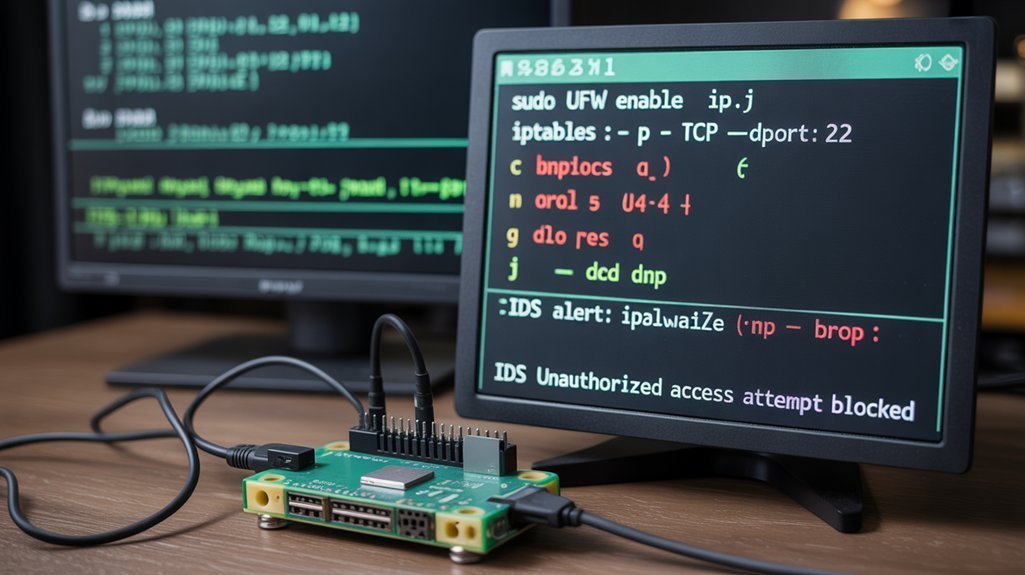
You’ll establish robust perimeter defense by configuring UFW firewall rules to control network traffic flow and restrict unauthorized access attempts.
Installing Fail2ban protection adds automated intrusion prevention that blocks malicious IP addresses after detecting suspicious login patterns or brute-force attacks. Advanced configurations allow you to create custom rules for specific ports and protocols to enhance your security posture.
Monitoring security logs provides real-time visibility into potential threats and validates your firewall’s effectiveness in maintaining system integrity. Regular configuration backup ensures you can quickly restore your security settings if system faults occur or updates disrupt your firewall rules.
Configuring UFW Firewall Rules
While Raspberry Pi OS doesn’t include UFW by default, implementing this uncomplicated firewall becomes essential for establishing robust perimeter defense on your device. Understanding UFW basics starts with installation using `sudo apt install ufw` followed by `sudo ufw enable`.
Configure firewall policies systematically. Set default deny for incoming traffic while permitting outgoing connections. Additionally, it is advisable to ensure a proper power supply is connected to avoid system interruptions during the setup process.
Create allow rules for essential services like SSH with `sudo ufw allow 22/tcp`, ensuring you won’t lose remote access. Implement deny rules for unused ports to minimize attack surfaces.
Deploy rate limiting against brute-force attempts using `sudo ufw limit 22`. This automatically restricts connection attempts to six per thirty-second interval.
Monitor traffic through `sudo ufw status` for active rules verification. UFW functions on any Debian-based OS and provides cross-platform compatibility for consistent security implementations. Before enabling UFW, ensure you have a proper power supply connected to prevent system interruptions during firewall configuration. Specify service specifications using protocol settings like TCP/UDP for precise traffic monitoring and enhanced security posture.
Installing Fail2ban Protection
After establishing UFW’s perimeter defense, implementing Fail2ban provides dynamic intrusion detection that monitors log files for malicious activity patterns and automatically deploys targeted firewall rules against attackers.
Install Fail2ban using `sudo apt install fail2ban` after updating your system packages. Create a local configuration with `sudo cp /etc/fail2ban/jail.conf /etc/fail2ban/jail.local` to preserve custom settings during updates. Additionally, modifying firewall rules through Fail2ban enhances your Raspberry Pi’s security posture.
Configure fail2ban configuration by editing jail.local and enabling SSH protection with `enabled = true` under the `[sshd]` section. Adjust ban times and retry thresholds based on your security requirements. This protection is essential for devices exposed to the public internet where network exploits frequently target SSH services.
The system’s log monitoring functionality uses regex filters to detect brute-force attempts, automatically inserting iptables rules to block offending IPs while maintaining legitimate access through time-based unbanning mechanisms. Beyond SSH protection, Fail2ban can monitor multiple services including Apache, Postfix, and Asterisk for comprehensive security coverage.
Monitoring Security Logs
Thorough log monitoring forms the backbone of effective Raspberry Pi security, transforming your device from a passive target into an active security sentinel.
Deploy LogWatch to automatically parse and summarize system logs, providing regular security insights without manual intervention. Implement centralized logging to aggregate data from multiple services, enabling extensive correlation analysis across your Pi’s security ecosystem.
Configure automated scripts that scan logs daily for intrusion indicators and policy violations. Establish robust log retention policies that balance forensic investigation needs with storage constraints. Monitor `/var/log/apt/history.log` for package updates to track system modifications and potential security vulnerabilities.
Utilize specialized tools for parsing firewall and IDS logs, focusing on anomaly detection patterns that reveal potential threats. Schedule weekly deep-dive analyses to identify subtle attack vectors and emerging security trends within your monitored data streams. Install Tripwire for comprehensive file and system integrity monitoring to detect unauthorized system changes.
Establishing System Monitoring and Log Analysis Practices

Effective system monitoring and log analysis form the foundation of a secure Raspberry Pi deployment, enabling you to detect threats, track performance degradation, and maintain operational visibility. Implement centralized log aggregation using rsyslog to capture kernel, service, and application events while configuring rotation policies to prevent storage exhaustion. The lightweight LXDE-based interface further facilitates efficient resource management while running monitoring tools.
| Component | Tool | Purpose |
|---|---|---|
| Real-time Monitoring | Netdata | Web-based dashboard at port 19999 |
| Log Analysis | ELK Stack | Parse and visualize system logs |
| Performance Metrics | Collectd/Node Exporter | Hardware and OS metric collection |
Deploy automated monitoring scripts via cron jobs to track critical performance metrics including CPU temperature, memory usage, and network health. Configure alerting mechanisms through email or messaging apps to receive immediate notifications when anomalies occur, ensuring rapid incident response. Combine command-line tools with graphical interfaces to create a comprehensive monitoring solution that accommodates different administrative preferences and system requirements. Integrate temperature sensors like the DS18B20 for comprehensive environmental monitoring of your deployment location.
Frequently Asked Questions
How Do I Securely Backup My Raspberry Pi SD Card?
You’ll achieve secure SD card cloning using `dd` with proper device identification via `lsblk`. Implement backup automation through scheduled scripts, exclude sensitive directories like `/proc/*`, and store encrypted images on external drives for complete protection.
What Are the Best Practices for Securing Iot Sensors Connected to Pi?
Implement sensor authentication using unique credentials and SSH keys. Enable data encryption for all communications between IoT devices and your Pi. Configure network segmentation, disable unused services, and regularly update firmware to maintain robust security.
How Can I Encrypt Sensitive Data Stored Locally on the Device?
Like Fort Knox protecting gold, you’ll implement LUKS full disk encryption using `cryptsetup luksFormat` with AES-256 cipher for robust data encryption. Consider hardware security modules for secure storage of encryption keys against physical tampering.
Which Hardware Security Modules Work Well With Raspberry Pi Systems?
You’ll find ZYMKEY4 modules integrate directly into GPIO headers, while DIY ESP32-based HSMs offer customizable solutions. Consider TPM modules for trusted computing or USB security dongles for portable cryptographic operations across multiple Pi systems.
How Do I Secure Physical Access to Prevent SD Card Theft?
Your Pi’s like a digital treasure chest—protect it with tamper-proof cases, secure mounting, and restricted physical access. Implement encryption, use lockable enclosures, and deploy hardware security modules to create all-encompassing physical security barriers against unauthorized SD card extraction.
Conclusion
You’ve fortified your digital fortress through methodical command-line hardening, transforming your Raspberry Pi from a vulnerable outpost into an impenetrable citadel. Each authentication layer you’ve implemented serves as another drawbridge, while your firewall rules stand as vigilant sentries. Your automated monitoring systems function like watchtowers, scanning horizons for threats. The security foundation you’ve built won’t crumble under attack—it’ll detect, deflect, and defend against adversaries seeking unauthorized entry into your computational stronghold.